Targeting Criteria
Criteria are metadata tags attached to players, screens and frames that enable campaign targeting. Instead of selecting individual screens for each campaign, you assign criteria once and then target all matching screens by their tags.
For example, you might create criteria like "Indoor", "Shopping Mall", "Highway", or "Ticker Frame" and assign them to the appropriate screens. Campaigns can then target all "Shopping Mall" screens with a single selection.
How criteria work
Criteria connect campaigns to screens through a tagging system:
-
You create criteria and organize them into groups.
-
You assign criteria to screens and/or frames.
-
When creating a campaign schedule, you select criteria to target.
-
The system turns the selection into the list of matching screens, and the campaign keeps that list when you save it.
This approach scales efficiently — a new screen needs only the right criteria tags to be found by every campaign you build or rebuild with criteria. A campaign that is already running keeps the screen list it was saved with: to add the new screen to it, open the campaign, run its By criteria step again and save. See Targeting Screens.
Creating criteria
Criteria are managed on the dedicated Criteria page.
-
Go to Criteria in the left menu.
-
Click Add group to create a criteria group (e.g., "Location Type", "Venue", "Frame Purpose").
-
Name the group and click Add.
-
Click the + icon in the group to add a criterion.
-
Enter the criterion name and select its type.
-
Click Add.
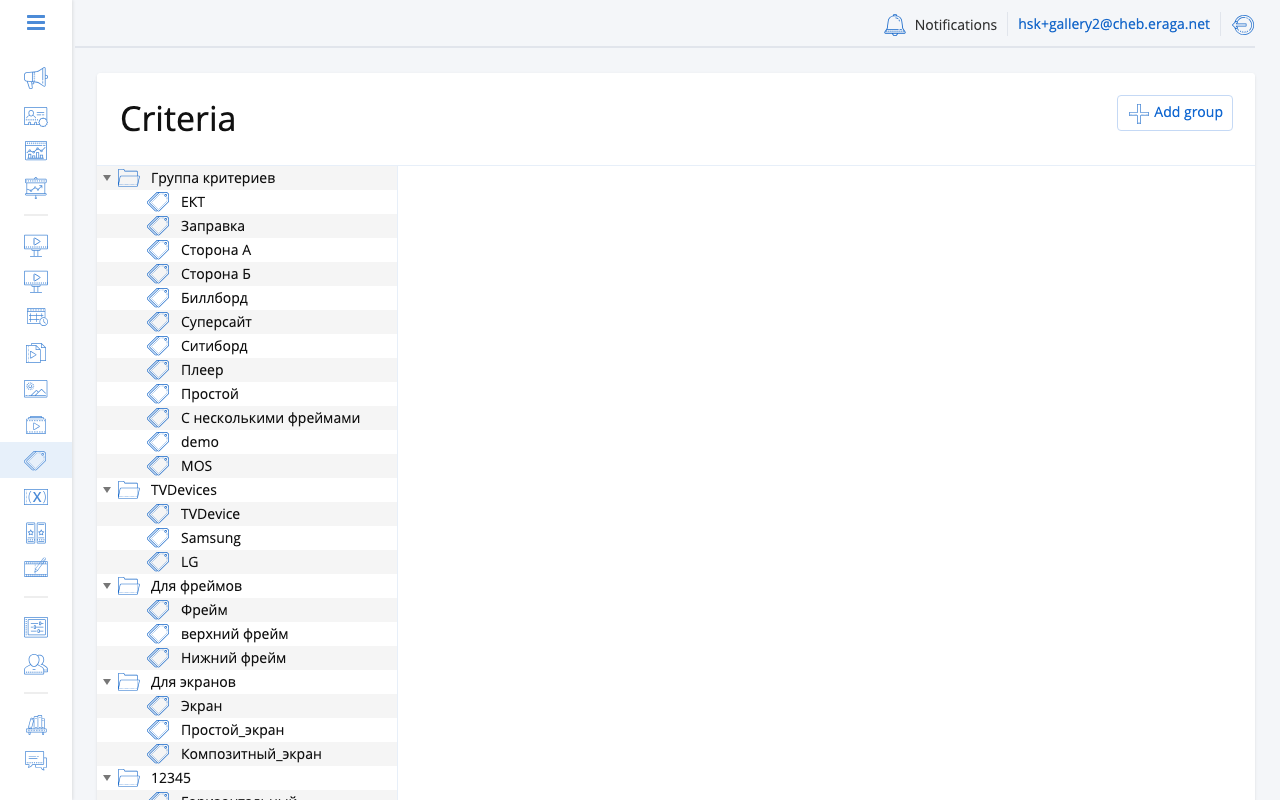
Criteria types
Each criterion has a type that controls where it can be assigned:
| Type | Usage |
|---|---|
Universal |
Can be assigned to players, screens and frames. |
For players |
Can be assigned only to players. |
For screens |
Can be assigned only to screens. |
For frames |
Can be assigned only to frames. |
Choose the type based on your targeting needs. Universal criteria offer the most flexibility.
To change the type of an existing criterion, select it in the list and switch the type checkbox to the desired value.
Criteria groups
Groups organize criteria into logical categories for easier management. Examples:
-
Location — Indoor, Outdoor, Underground
-
Venue — Mall, Airport, Gas Station, Office Building
-
Format — Main Screen, Ticker, Sidebar
-
Region — North, South, Downtown
Groups are purely organizational — they do not affect targeting behavior.
Assigning criteria to screens
-
Go to Screens in the left menu.
-
Click on the screen.
-
Open the Criteria tab.
-
Click Add criteria.
-
Select criteria from the list by checking them.
-
Click Add.
-
Click Save to apply.
You can assign multiple criteria to a single screen. Changes are saved as a batch when you click Save.
Assigning criteria to players
-
Go to Players in the left menu.
-
Click on the player.
-
Open the Criteria tab.
-
Add criteria the same way as for screens.
Player-level criteria describe the device installation (e.g. venue, region) and are also shown as a filter and a column in the players list.
Assigning criteria to frames
-
Go to Players > select a player > Frames tab.
-
Select the target frame.
-
Click Add criteria.
-
Select the relevant criteria.
-
Click Add, then Save frame.
Frame-level criteria allow targeting specific content zones. For example, target a ticker frame separately from the main content frame on the same screen.
Removing criteria
-
Open the Criteria tab of the screen or player (or the frame settings).
-
Click the remove icon next to the criterion you want to detach.
-
Click Save to apply changes.
Using criteria in campaigns
When creating a campaign schedule (Targeting Screens), select criteria to target all matching screens. The criteria selector consists of three columns, and the selection returns screens which:
-
simultaneously have all of the criteria from the first column;
-
and have any of the criteria from the second column;
-
and have none of the criteria from the third column.
Criteria groups do not affect matching logic — only the column a criterion is placed in matters.
| If you have a small network (fewer than 10 screens), you may prefer to target screens directly rather than using criteria. Criteria become valuable as your network grows. |