People counting with Dahua cameras
Some Dahua cameras can count the audience in the frame. The player can connect to such a camera, receive the counting data and pass it to programmatic advertising as the audience measurement.
Camera setup
The player works only with the ManNumDetection rule. To set it up:
-
Open the camera admin panel, the Settings tab.
-
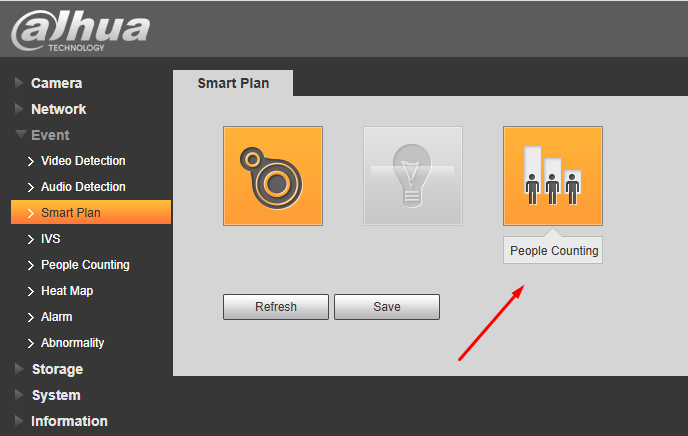
Go to Event > Smart Plan and enable the People Counting option.
-
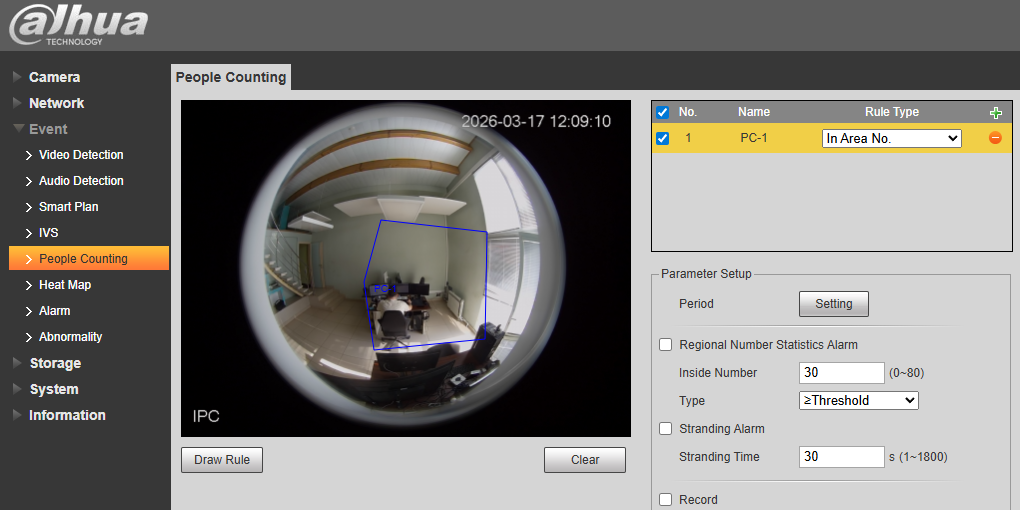
Go to Event > People Counting and configure the zone inside which the camera counts the audience.
Player setup
-
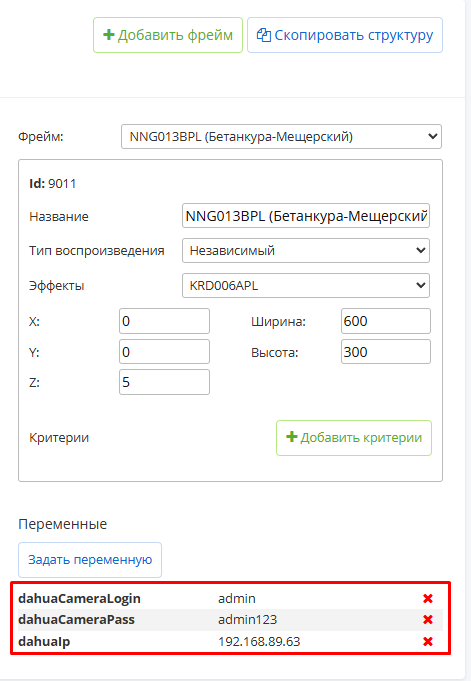
First create 3 variables with the String type for the Frame entity, with the keys dahuaCameraIp, dahuaCameraLogin, dahuaCameraPass.
-
Open the player page, the Frames tab.
-
Set these three variables on the desired frame, filling in the login, the password and the IP address of the camera.
How it works
-
The camera pushes the data itself, so the player does not poll it.
-
The camera sends data whenever the picture in the frame changes, in the following format:
2026-03-16 16:26:28,937
Content-Length: 452
summary.AreaID=1
summary.Channel=0
summary.EnteredSubtotal.Hour=0
summary.EnteredSubtotal.Today=0
summary.EnteredSubtotal.Total=0
summary.EnteredSubtotal.TotalInTimeSection=0
summary.ExitedSubtotal.Hour=0
summary.ExitedSubtotal.Today=0
summary.ExitedSubtotal.Total=0
summary.ExitedSubtotal.TotalInTimeSection=0
summary.InsideSubtotal.Total=3
summary.PlanId=0
summary.PtzPresetId=0
summary.RuleName=ManNumDetection
summary.UTC=1773678387-
The player records the timestamp and the summary.InsideSubtotal.Total parameter.
-
When programmatic requests the audience, the player takes the maximum value over the previous N seconds, where N is the duration of the programmatic slot. For a 10-second slot the player finds all records not older than 10 seconds, picks the maximum value and sends it.
-
The maximum value is used so that single zero readings do not lower the result.