Connecting the player to your account using GUI
You can connect CS Player to your CS Play account via PIN on any operating system with a graphical interface (Windows/Linux/Android).
To get the PIN:
-
Go to your account.
-
Select the player (or create a new one) on the Players page.
-
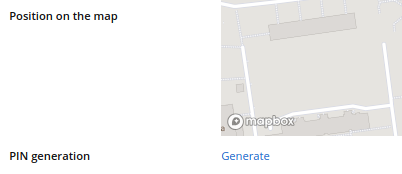
On the Parameters tab find PIN generation and click Generate. A 6-digit PIN will appear.
| The PIN connects a player to your account. Before you give a PIN to anyone who asks for it by phone or message, confirm who is asking and that the player is being installed for you. |
To connect the player to your account:
-
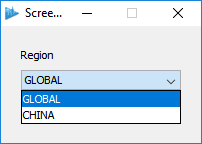
Go to your controlling device and launch CS Player. A Select Region window opens.
-
Select region GLOBAL.
-
Then enter the generated 6-digit PIN into CS Player and log in.
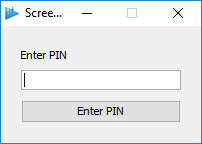
Wait for CS Player to start. When it starts, it’s connected to your account and ready to play the content.